
PDF TABLE TO EXCEL · WINDOWS DESKTOP APP
Turn a PDF table into an Excel or CSV file on your own PC.
Mark a table in a PDF that has selectable text, set the column lines, check the cells and save a spreadsheet (XLSX) or CSV file. You review every row before it is saved. The file never leaves your computer.
- Free to install. No account, no card
- Your PDF stays on your PC. Nothing is uploaded
- Works offline on Windows 10 & 11 (64-bit)
What installing includes
- The Pagekind PDF tools. Free, and your PDFs stay on your PC.
- An optional connection-sharing component, preselected in Setup. Optional connection sharing is off by default. It stays off until you read the full notice inside Pagekind and agree. Setup only copies its files, including a network driver. If you turn it on, it sends third-party traffic through your public IP, even while Pagekind is closed. You can turn it off any time. Sharing details.
- An unsigned release. Unsigned release: Windows may warn before setup opens. Installation details and checksum.
Before you download: this tool is premium
Table export is one of four premium tools. It unlocks for 180 days if you choose optional connection sharing: while sharing is on, Pagekind’s operator can send other people’s internet traffic through your connection, websites see your public IP address, and that can continue even while Pagekind is closed. You read the full notice and decide before anything is enabled, and turning sharing off locks premium again. Every other Pagekind tool is free without it, apart from a few premium extras inside Compress, Merge and Split.
How it works in Pagekind
- 1
Open your PDF
Choose Open PDF or drop the file onto Pagekind. The table needs selectable text, not a scan.
- 2
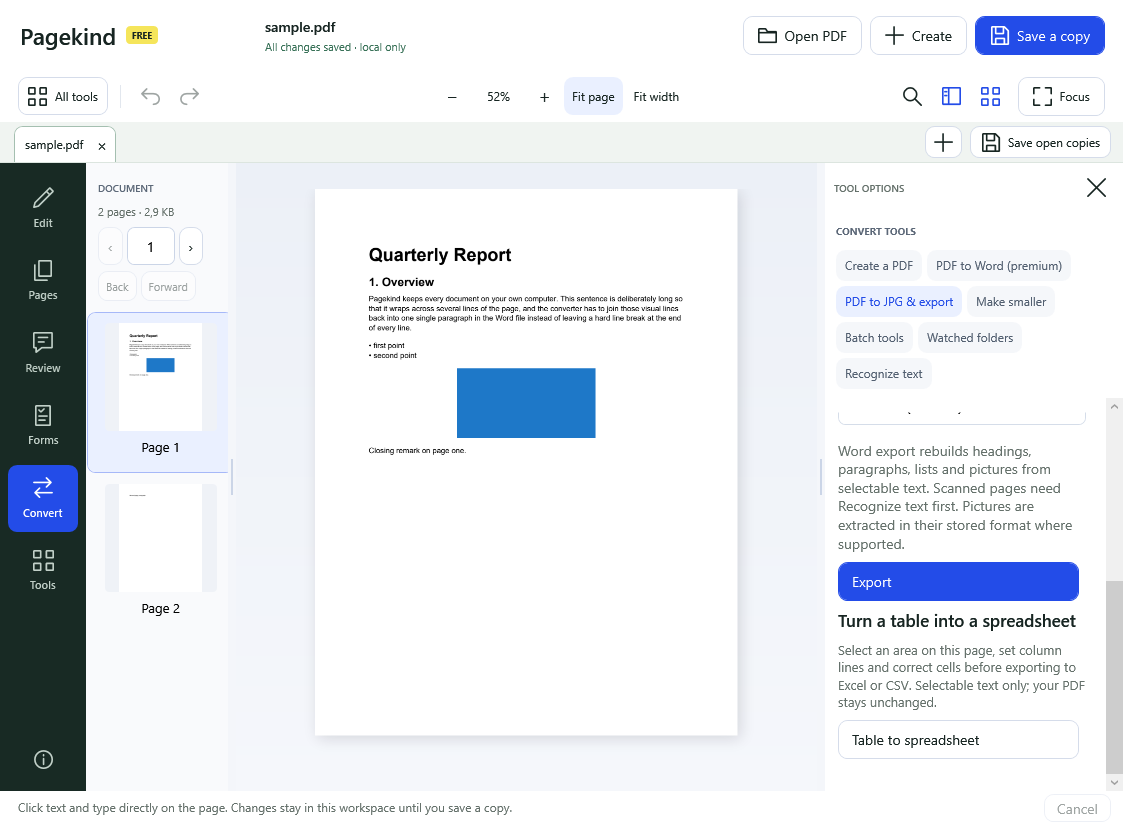
Choose Export, then Table to spreadsheet
The tool is premium, so the first time it shows what unlocking involves and asks you to decide. Then select the table's area on the page and place the column dividers.
- 3
Review the cells, then save
Choose Build table preview, correct any value, remove unwanted rows, and save XLSX or CSV. Your PDF is never changed and an existing file is never overwritten.
What you get
- You choose the table and its columns, so you control what is in the file
- Every row is shown for review before anything is saved
- XLSX for Excel and other spreadsheet programs, or CSV
- Your PDF is processed locally; there is no upload service
Good to know
- It reads existing PDF text. A scanned PDF has none, so run Recognize text (free) first.
- It does not find every table automatically or join tables from several files: you mark one table at a time.
- Exports are not encrypted, and CSV readers may turn values into dates or numbers, so check the result against the PDF.
- PDFs can store text in an unexpected order, so check the preview carefully and correct any cell by hand.
Questions
Is PDF table export free?
Pagekind is free to install and most tools are free with no account. Table export is one of four premium tools. They unlock for 180 days if you choose optional connection sharing, which lets Pagekind's operator send internet traffic through your connection. You see the full notice first and can turn sharing off at any time, which locks premium again.
Does it convert the whole PDF to Excel?
No. It exports one table you mark, after you review its cells. That is slower than an automatic converter but you decide what ends up in the file.
Is my PDF uploaded to extract the table?
No. Pagekind works on your PC. Optional connection sharing is about your internet connection, not your documents; Pagekind has no document-upload service.
Can it read a table in a scanned PDF?
Not directly, because a scan is a picture. Run Recognize text (OCR) in Pagekind first to add searchable text, then select the table.
Does it work offline?
Yes. Exporting a table needs no internet connection.