
SIGN PDF · WINDOWS DESKTOP APP
Sign a PDF on your PC.
Type your name, draw your signature with the mouse or use a picture of it, then place it on the page and drag it where it belongs. Free, offline, and your PDF is never uploaded.
- Free. No account, no card, no watermark
- Your PDF stays on your PC. Nothing is uploaded
- Works offline on Windows 10 & 11 (64-bit)
Unsigned release: Windows may warn before setup opens. Installation details and checksum. Optional connection sharing is off by default; when you turn it on it sends third-party traffic through your public IP, even while Pagekind is closed. Sharing details.
What this is, and what it is not
Pagekind adds a picture of your signature to the page. It is not a certified digital signature: there is no certificate, no tamper seal and nothing that proves who signed. Many everyday forms accept a visible signature, but check what the person or office you are sending it to requires.
How it works in Pagekind
- 1
Open your PDF and go to the page
Choose Open PDF or drop the file onto Pagekind, then move to the page you want to sign.
- 2
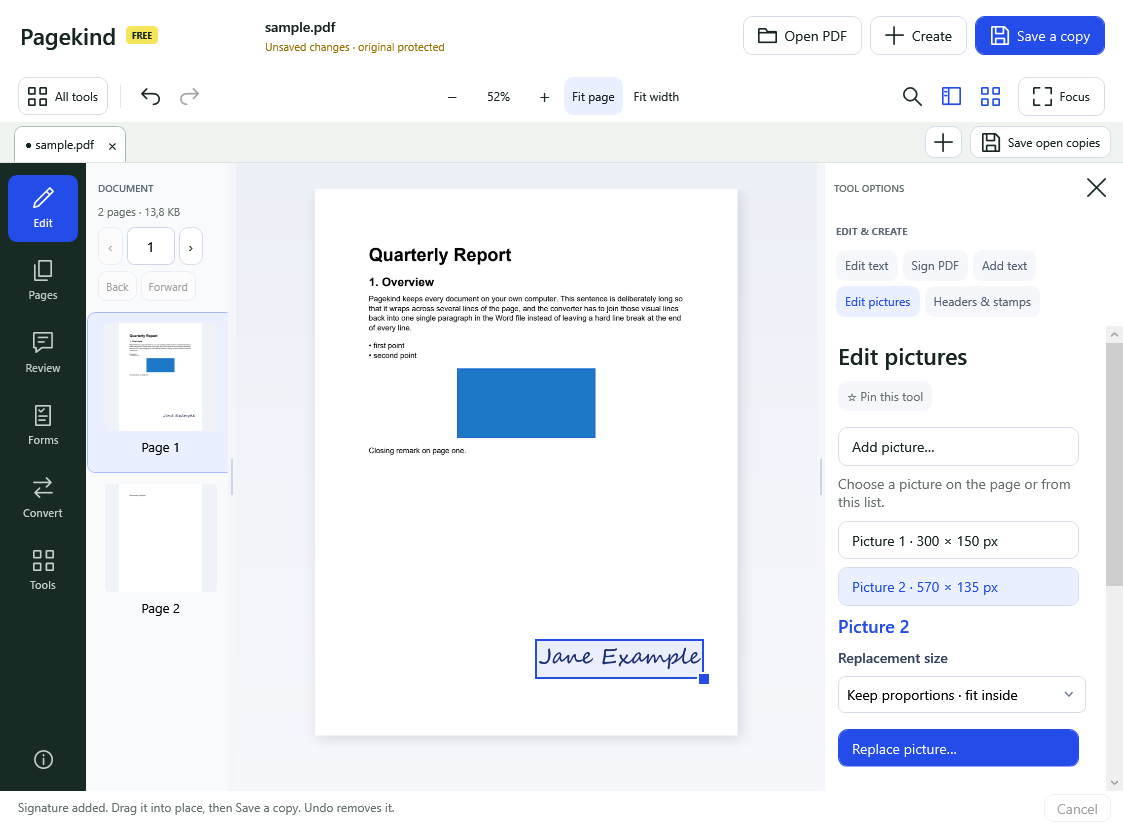
Choose Edit, then Sign PDF
Pick a style: Type my name (with a handwriting-style font), Draw with the mouse, or Use a picture file such as a scan of your signature. Then choose Place signature on this page.
- 3
Drag it into place and save a copy
The signature appears at the lower right, selected. Drag or resize it, undo it if you change your mind, then Save a copy. Your original stays as it was.
What you get
- Three ways to make a signature: typed, drawn or from a picture file
- Placed as a transparent picture, so the page shows through
- Drag, resize and Undo like any other picture in Pagekind
- Sign any page; repeat on other pages when you need to
- Free: no account, no watermark, no upload
Good to know
- It is a picture of a signature, not a certified digital signature, and it does not prove who signed or detect later changes.
- Whether it is accepted depends on who receives the PDF and the rules that apply to them.
- A PDF that does not allow changes needs its owner password first.
- Typed signatures use the handwriting-style fonts installed on your PC.
Questions
Is this a legally binding electronic signature?
Pagekind adds a picture of your signature. Whether that is accepted depends on the person or office you send it to and the rules that apply. Some situations need a certified digital signature or a service that records who signed; Pagekind does not provide those.
Is signing a PDF with Pagekind free?
Yes. Sign PDF is one of Pagekind's free tools: no account, no card and no added watermark.
Is my PDF uploaded?
No. The signature is made and placed on your PC; Pagekind has no document-upload service.
Can I sign more than one page?
Yes. Go to each page and choose Place signature on this page again.
How do I remove or move a signature?
Use Undo straight after placing it, or open Edit pictures, select the signature and move, resize or remove it. Saving a copy keeps your original unchanged.