
Start with the revision.
Open the revised PDF in Pagekind. You can make supported edits first: comparison uses the current applied working document, including changes you have not yet saved as a final copy. A draft that failed its checks needs to be corrected before comparison can begin.
- Choose Review, then Compare PDFs. Select Choose older and pick the previous PDF from your computer. If it is locked, enter its correct password.
- Review the page list. Pagekind finds exact appearances first, then suggests matches for similar pages. The list distinguishes changed, added, removed and moved pages. An inserted page does not automatically make all following pages count as moved.
- Inspect a pair. Side by side shows both pages. Differences adds a purple layer and a region outline. Text changes shows differences in extracted text. Use the zoom controls for a closer view.
- Check uncertain matching. Similar and repeated pages are labelled for review. Expand Inspect a different pairing to choose your own older and revised page numbers. That inspection keeps the automatic summary intact.
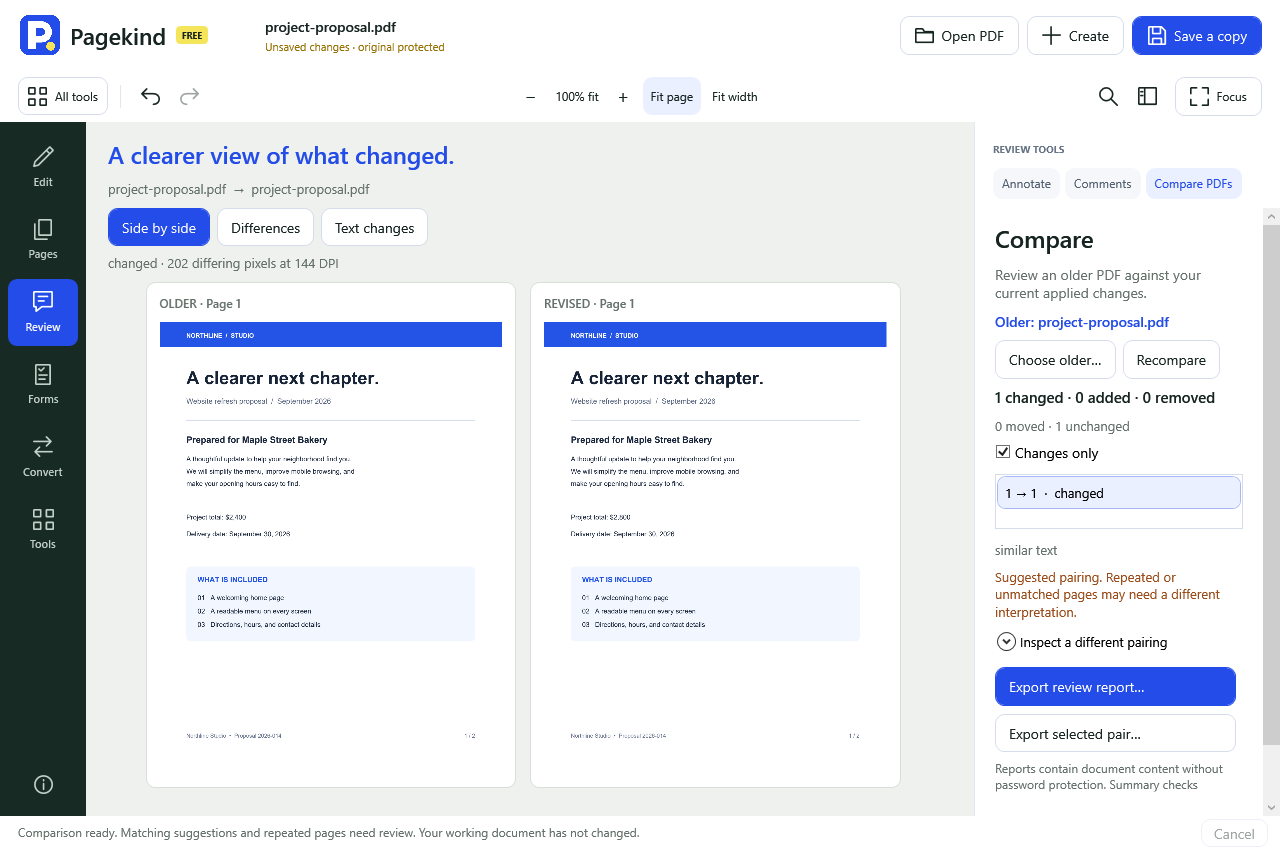
Read the differences in context.
Purple marks pixels that differ at the selected detail resolution. It can reveal a text correction, a changed picture or an annotation. A page-size, crop or rotation change is reported separately. Pages align at their top-left corner; they are not stretched to hide a size difference.
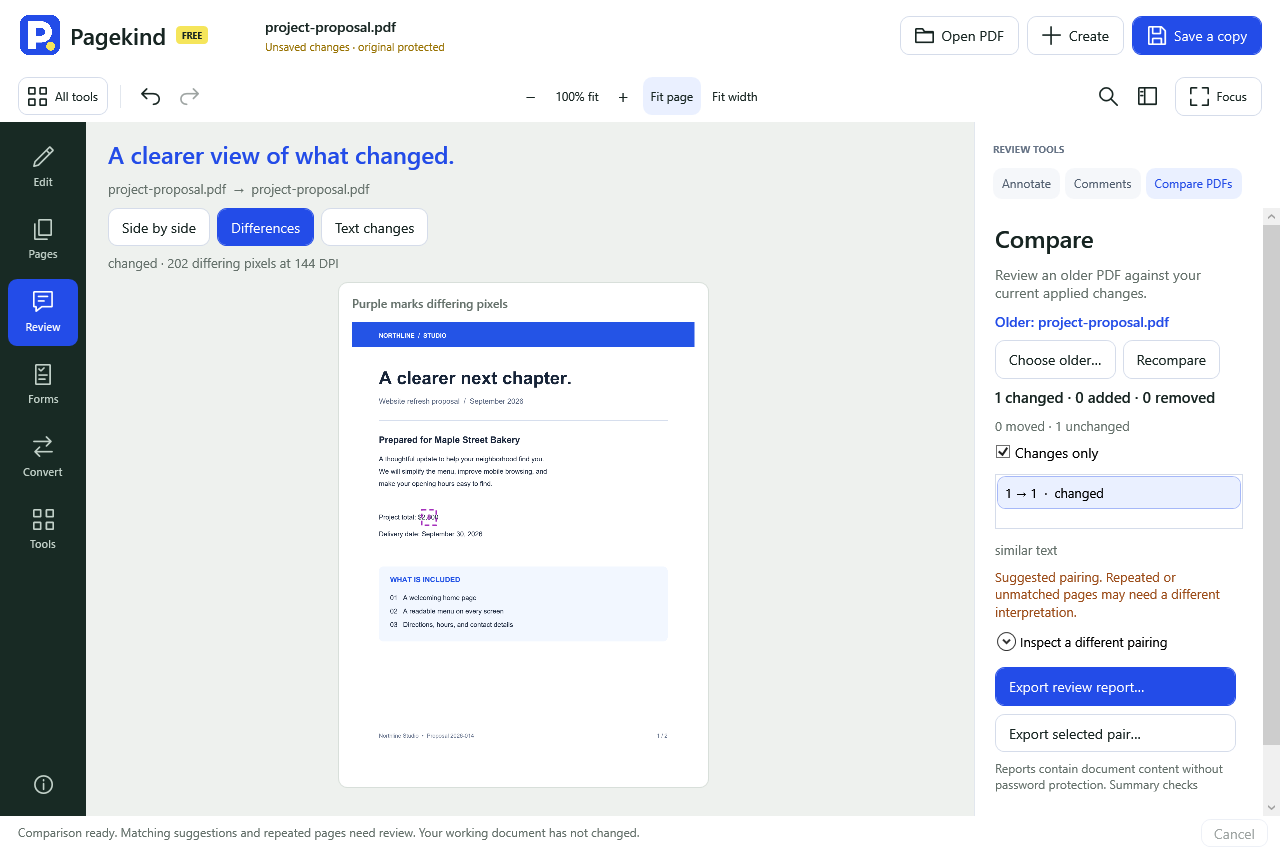
The summary compares appearance at up to 72 DPI. Selected pairs use up to 144 DPI; unusually large pages use a lower resolution to keep memory bounded. These are appearance and extracted-text checks. Metadata, tags, signatures and hidden objects are not fully compared, and a match is not proof that two documents have the same meaning.
Keep a review record.
Export review report creates a single HTML file with all automatic page pairings and embedded images for the non-unchanged pairs. Export selected pair illustrates only the pair you are viewing; a manual pair is clearly identified. Both options include comparison settings and hashes of the two source files. The report opens locally without fetching images or running scripts.
A report contains document content without password protection, including when the input PDF had a password. Choose its storage location and recipients accordingly. Very large illustrated reports may need to be exported as selected pairs.
Keep editing with a clear starting point.
Comparison does not alter either PDF or add an undo step. Changing the working document clears its comparison results. If either source file changes outside the app, Pagekind refuses stale details and reports until you compare again.
Pagekind 0.65.0 is an unsigned engineering preview. Page matching is a suggestion to inspect, and clean-machine and interactive release checks remain pending.